
Forstify 4.8.0 — new navigation & a personal Start page
Forstify feels tidier now: we rethought the navigation from the ground up and added a personal Start page that picks up right where you left off.
New navigation & a personal Start page
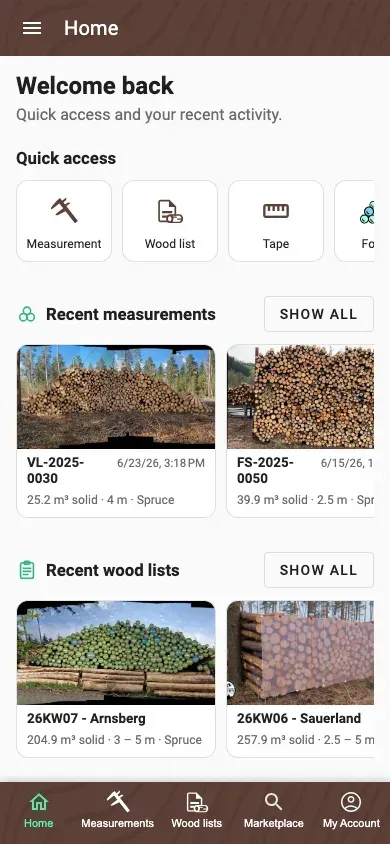
- A completely reworked, mobile-first navigation: a bottom tab bar on phones and a side menu on large screens – with five clear areas: Home, Measurements, Wood lists, Marketplace and Profile
- Measurements and Wood lists are now separate areas
- A new personal Start page with a greeting, quick actions and an overview of your recent activity – including Forstify updates right inside the app
A fresh look for measurements & wood lists
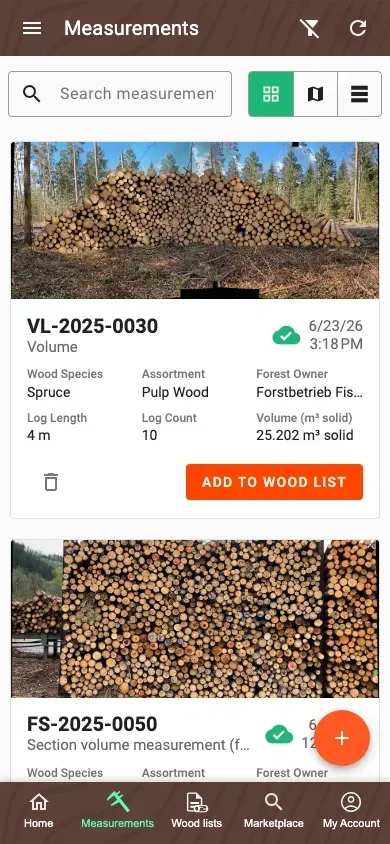
- Freshly designed cards with an improved image preview; the values shown follow the first six table columns you selected
- Sync and delivery status are visible right on the card, and the date appears as a tidy chip
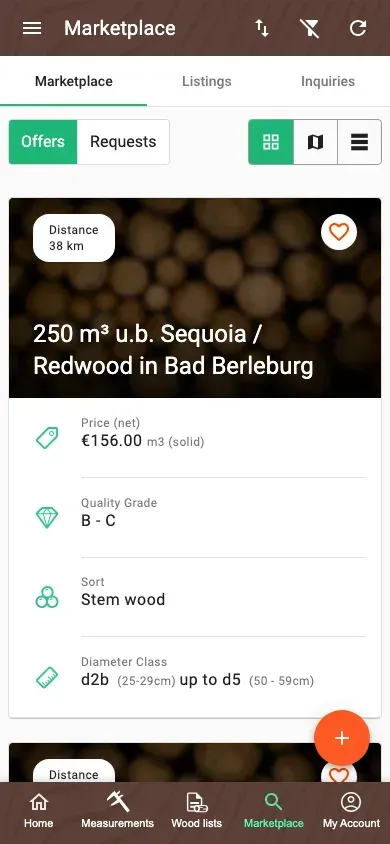
A tidier Marketplace
- On phone and tablet, segments, toggles, sorting and filters are combined into one clear control row – far fewer stacked layers
Find & capture faster
- A new quick search in the measurement overview (number, note, location, wood species and more)
- An improved wood-species picker: the full list appears at once, recently used species stay on top, and main species are suggested before their sub-species
- Auto-filling of the extra fields can be turned off, and every field has a button to clear it
- Column widths in the measurement table can be dragged to resize on a computer and are remembered
Map view
- The map in the measurement overview now uses the full height and has a “My location” button that brings you and your measurements into view
- The detail maps for wood lists, measurements and logpiles now show your location too
More improvements
- The quality class can be viewed and corrected afterwards in the single-log edit form (Forstify Maß and photo analysis)
- Measurements can be removed from a wood list without deleting them
- The overview remembers your view, page and scroll position when you return from a measurement; a new 100-row option is available
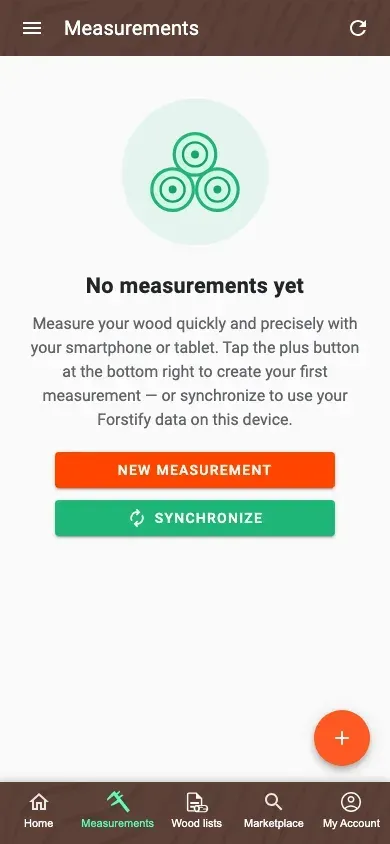
- Redesigned, helpful empty states with matching actions
- Loading indicators on the Start page during syncing and while images load
Fixes
- A single incomplete measurement no longer blocks all syncing
- Images missing after an interrupted sync are downloaded automatically on the next sync
- The wood-list summary again shows the “N” quality correctly
- The “Change plan” buttons work reliably again
A look at this update
Update now: