
Forstify 4.9.1 — teams, archive & price lists
Until now, Forstify was an app for one person. With 4.9.1 it becomes an app for your whole operation: create team spaces, invite colleagues, and work on the same measurements, wood lists and bundle offers together. Three more major features come with it, along with plenty of smaller improvements.
Teams & team spaces
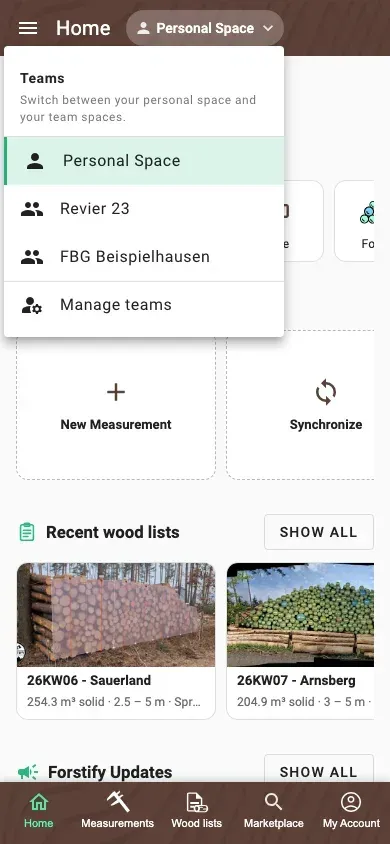
- Work on measurements, wood lists and bundle offers in shared team spaces. One space per company, project or location.
- Invite colleagues by e-mail. The invitation link opens straight into the app.
- Switch easily between your personal space and your team spaces from the action bar
- Bring existing data across with “Move to Team”. If a measurement sits in several wood lists or in a bundle offer, the app asks first.
- A team's data syncs to every member's device, and a notification tells you when someone adds something
Roles and permissions
- Owner: manages the team, its members and their roles
- Member: captures and edits all of the team’s data
- Read only: sees the team’s data without changing it
- External: captures their own data in the team and sees only their own entries. Made for external service providers, contractors and data suppliers.
Archive
- Archive measurements, wood lists and bundle offers and mark them as done. All data is kept in full and can be reactivated at any time.
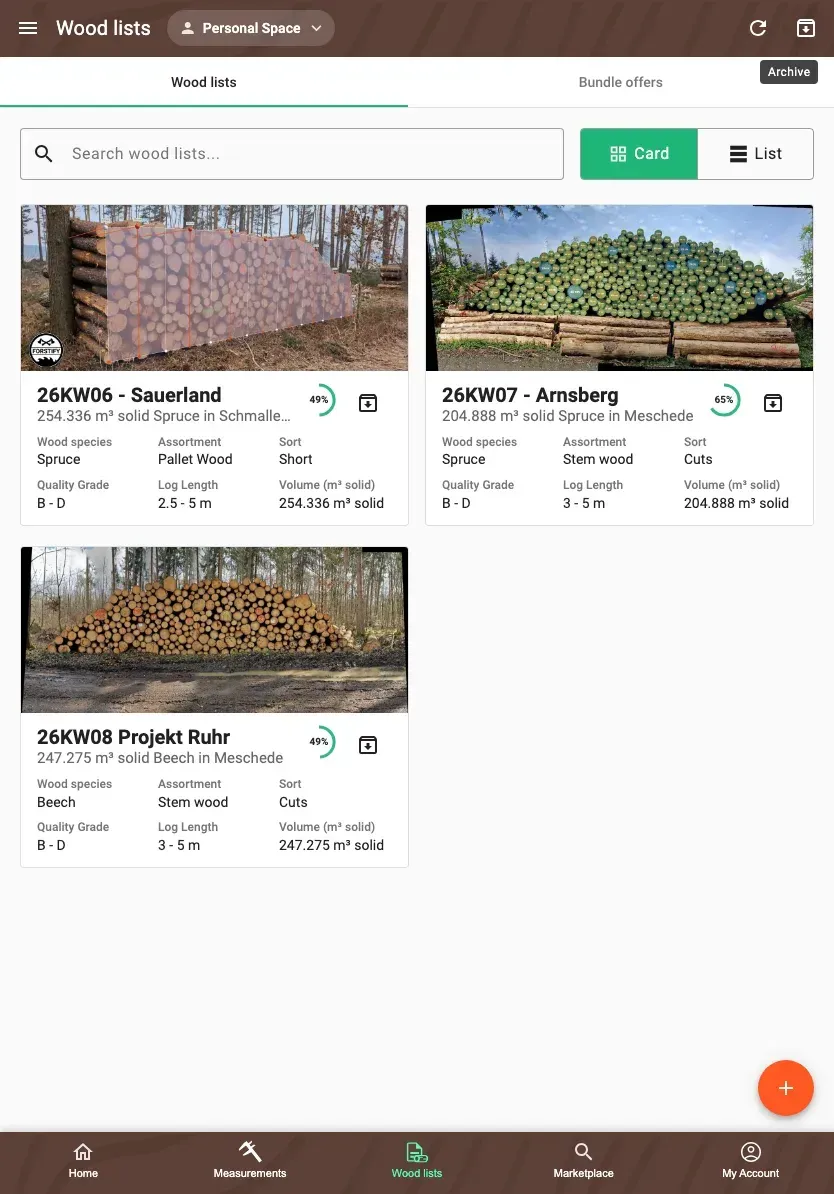
- One central archive with its own tabs and search, reached from the action bar on Measurements and Wood data
- Archived entries are read-only and no longer sync to your device. That noticeably speeds up syncing, especially with data spanning several years.
Price lists
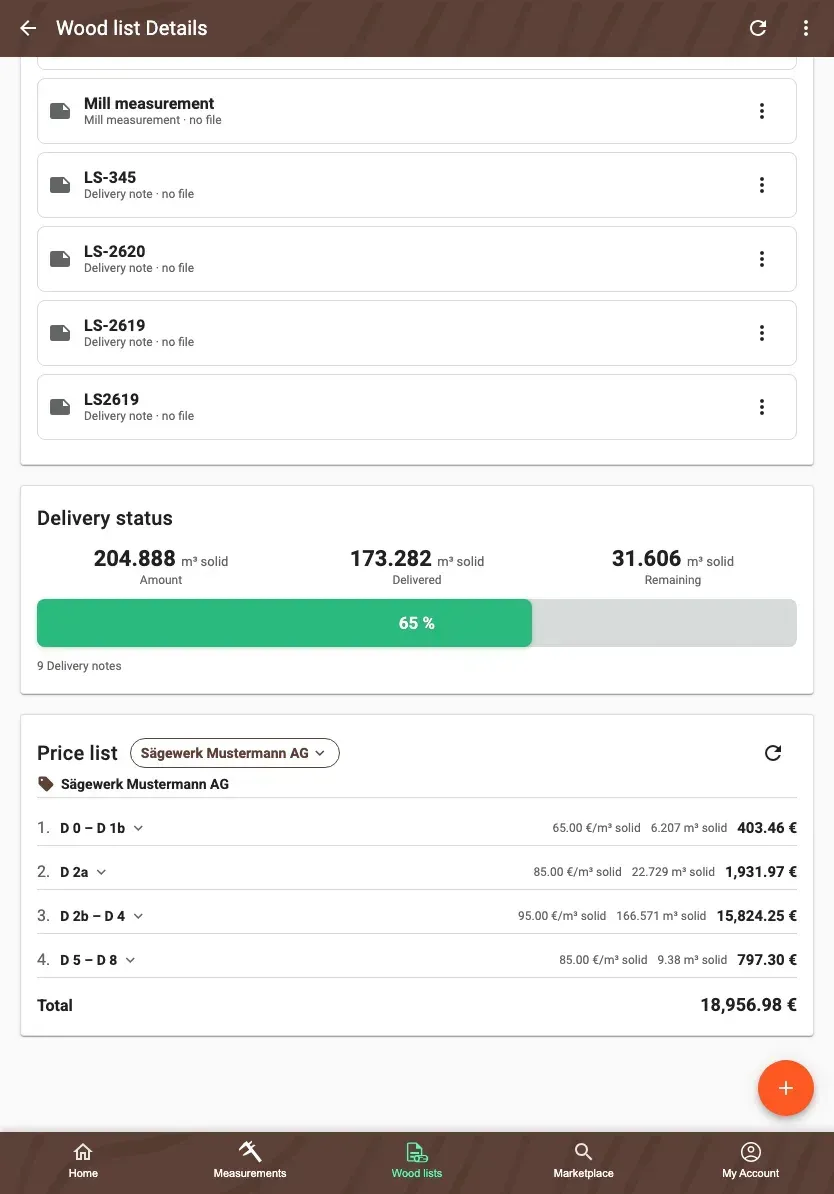
- A new “Price list” section on measurements, logpiles and wood lists: pick or create a price list and see the quantity and sum per row plus the total
- Price rows by species, quality class, strength class, length range and assortment, in solid or stacked cubic metres
- Each price list has a validity period, overlaps are checked, and lists can be duplicated or deleted
- On a wood list the selection applies to every logpile. Quantities that no row covers are flagged.
- The price table can be included in PDF and Excel exports
Sectional volume: measuring the back side
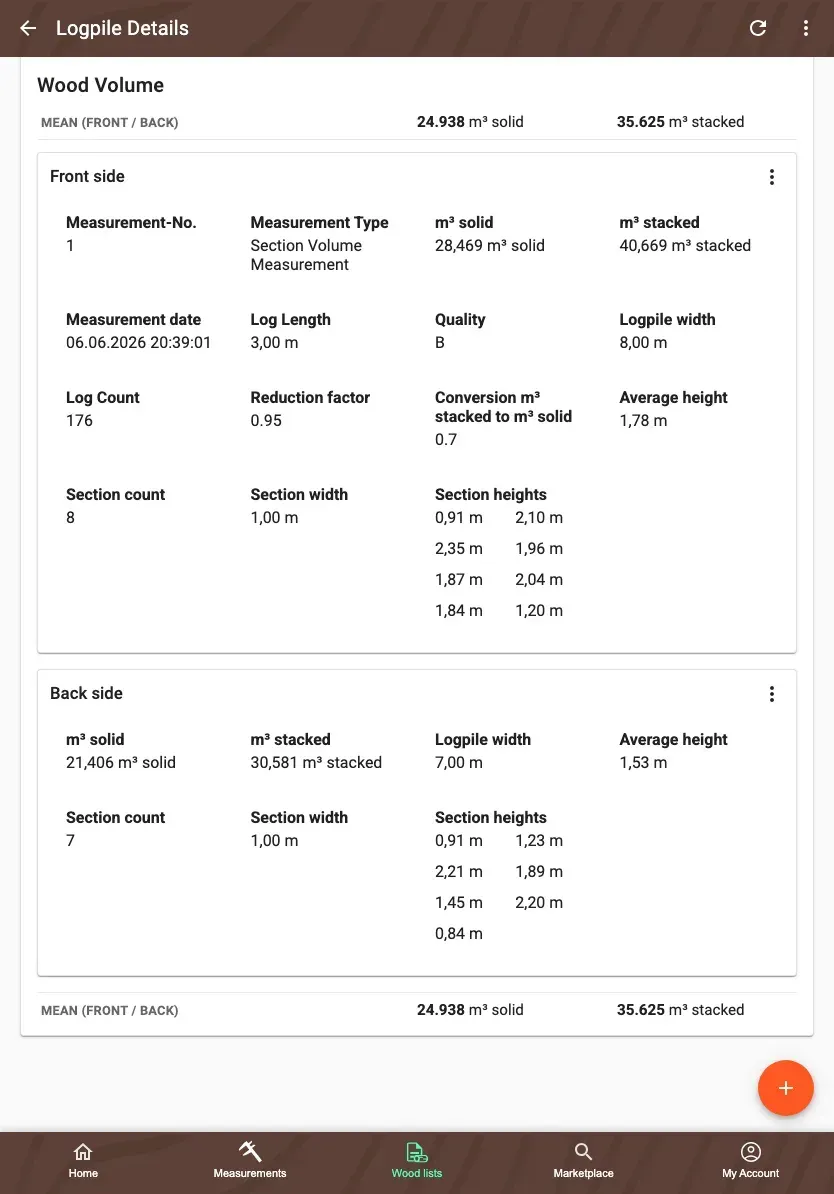
- “Add back side”: enter the width and section heights in the form or scan the back side with the camera
- The volume becomes the mean of front and back. The volume card shows solid and stacked cubic metres for front, back and mean.
- Exports and wood-list summaries use the mean. The back side can be changed or removed later.
Delivery notes read automatically
- When you upload a delivery note as a PDF with a text layer or as an ELDATsmart file, the number, date, quantity, driver, licence plate, buyer and per-logpile quantities are extracted
- The values prefill the document wizard and are marked as suggestions. Logpile numbers are matched automatically.
- Scanned PDFs without a text layer still take you through the manual flow
More improvements
- PDF export: landscape and panorama images across the full width, portrait images in two columns
- “Add log” on the measurement page for form-based single-log measurements
- Wood-list cards and the table show delivery status as a progress circle, the same as measurements
- “Detect location” refines the position for about ten seconds and shows the current accuracy in metres
- Tooltips on every icon button, and accessible names for screen readers
- External API: delta queries now list deleted measurements too, and the measurement overview includes the variety
- Faster and more reliable syncing
- Fixed sectional volume for logpile part B
- Fixed an unwanted logout when restarting the app
- Fixed an error in photo analysis
A look at this update
Update now: